
Designing an end-to-end pet adoption app
The process for adopting pets from a local shelter or rescue hasn’t changed much in the past years. The majority of pet adoption apps operate simply as a directory listing of shelters. Additionally, shelter and rescue websites are often outdated, hard to use and don’t provide sufficient information for those looking to adopt a new animal.
When looking to adopt a pet, users encounter untrustworthy shelters, outdated information, and redundant applications.
UX/UI Designer and Researcher
4 weeks (80 hours total)
*This is a speculative project I completed for DesignLab's UX Academy. However, the research is real and the design is based on real user data in addition to mentor and peer feedback.
I began my research by examining the pet adoption industry in general. I also wanted to compare how current products are solving problems in this industry and see how users have responded, so I analyzed user reviews of pet adoption apps on the Google Play Store and the Apple Store.
Some key findings:
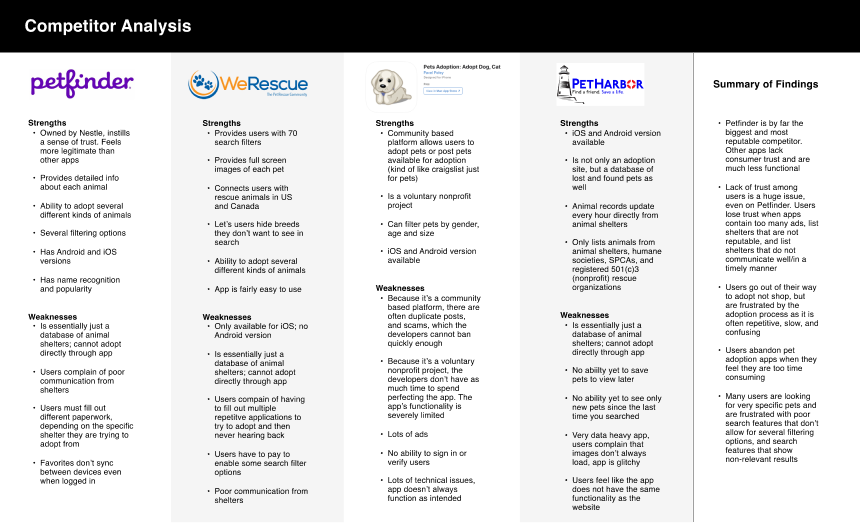
I then conducted remote 1:1 interviews using Google Meet in order to validate the findings from my secondary research and get more detailed information from real users. The users echoed many of the same concerns I read in the app store reviews and brought up additional considerations
Among 5 participants, ages 18 and up:
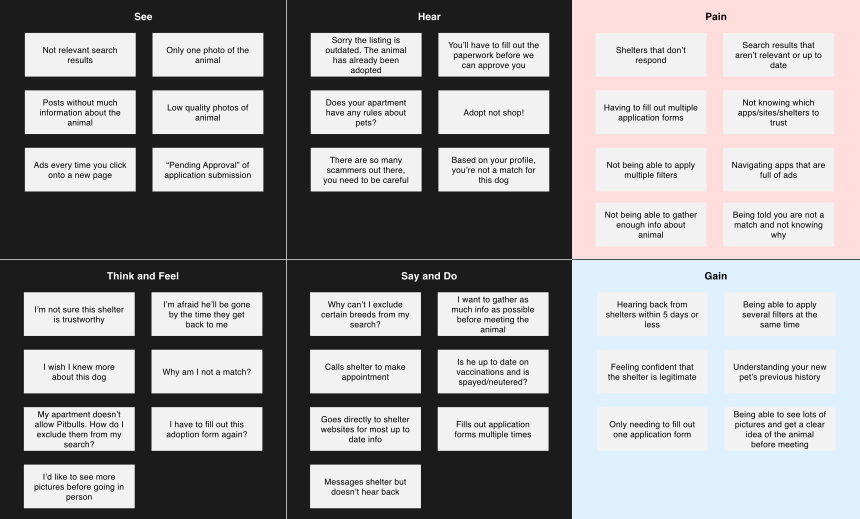
In order to distill my research findings and hone in on the user's experience, I created an empathy map. This empathy map helped ensure I understood my users main goals and frustrations when trying to adopt a pet. Click the image below to enlarge.
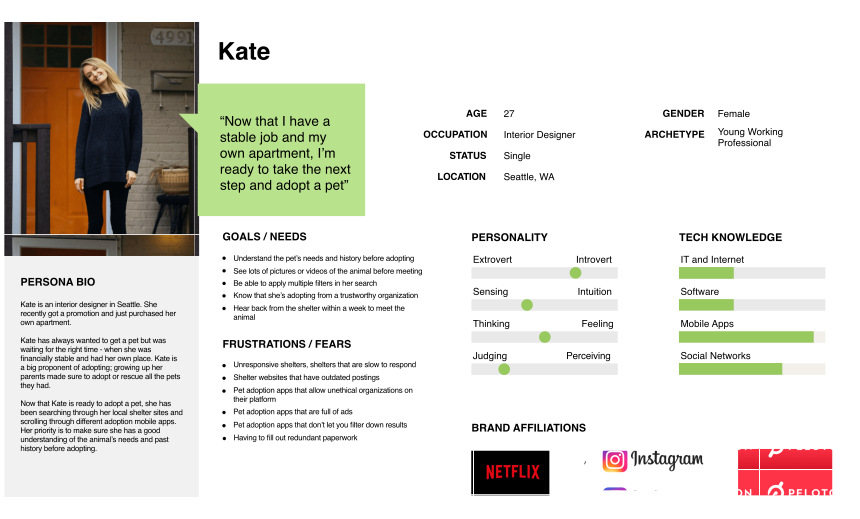
I further distilled my research findings into a user persona who would represent the app's target user base. Click the image below to enlarge.
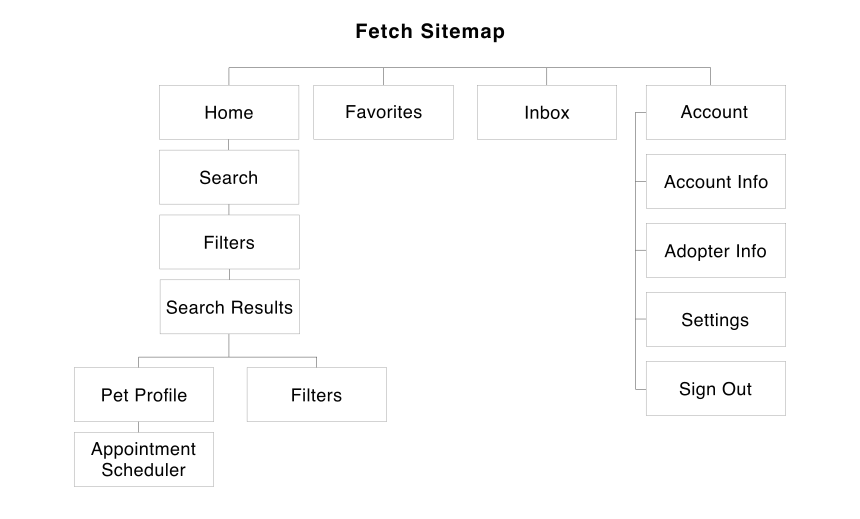
After getting a deeper understanding of the users, I created a sitemap for the mobile app.
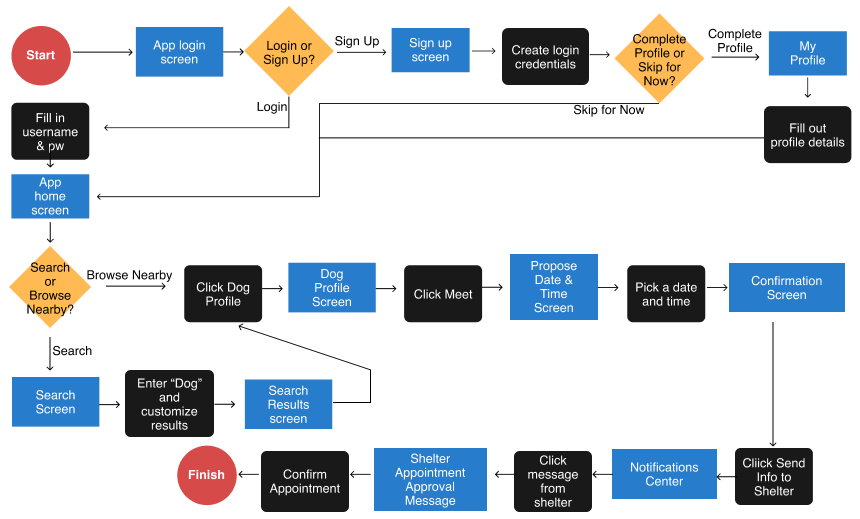
I then started designing the user flow based on the pages laid out in the sitemap. This flow demonstrates the different paths a user could take to search for a dog within the app and set up an appointment to meet. Click the image below to enlarge.
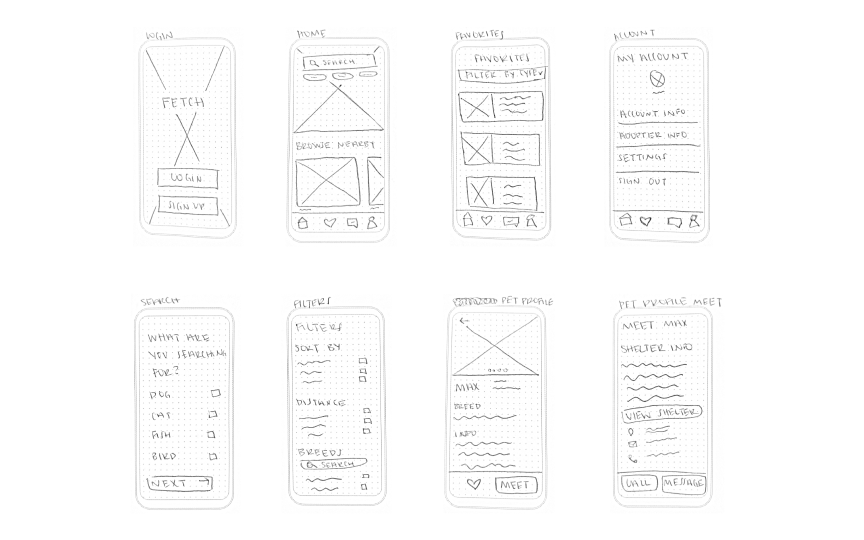
After mapping out the user flow and determining the screens I would need to design, I began sketching out lo-fi wireframes. I examined other pet adoption apps to see what patterns might work for my own product and looked at apps like Airbnb to help determine what information users might expect to find on their personal dashboard. Click the image below to enlarge.
Once I selected the sketches that would best meet the users needs, I digitized them as low-fidelity wireframes Figma. Click the image below to enlarge.
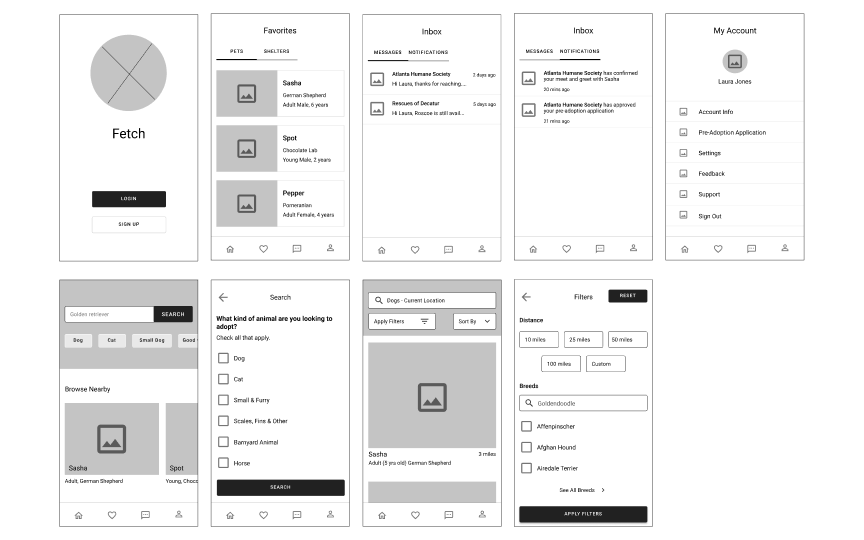
Out of my lo-fi wireframes, I created a clickable prototype of the app in Figma. Because I was designing an end-to-end mobile app, I wanted to test early with a low-fidelity prototype, so I could quickly validate the user flows and address any major usability issues before designing and testing the high fidelity wireframes.
I recruited 5 participants, ages 18 and up to test out the low-fidelity prototype. I wasn't able to conduct in-person testing, so I moderated them remotely using Figma and Google Meet.
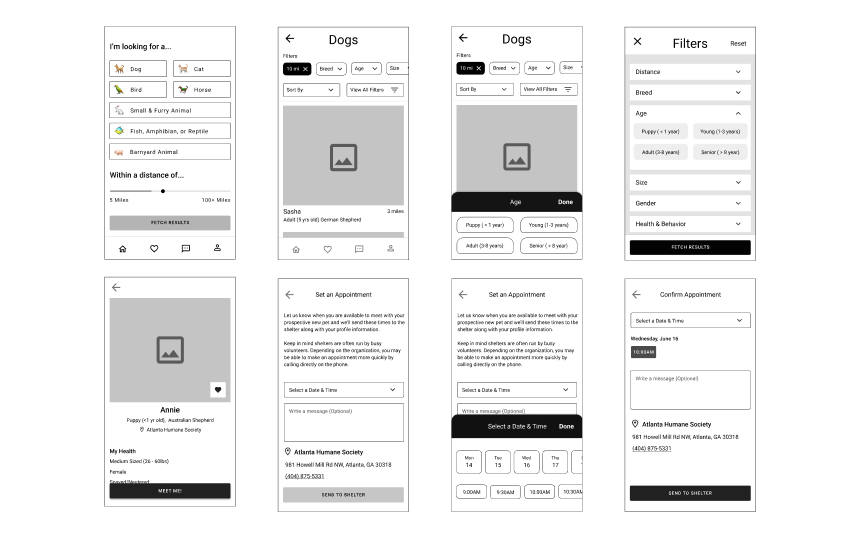
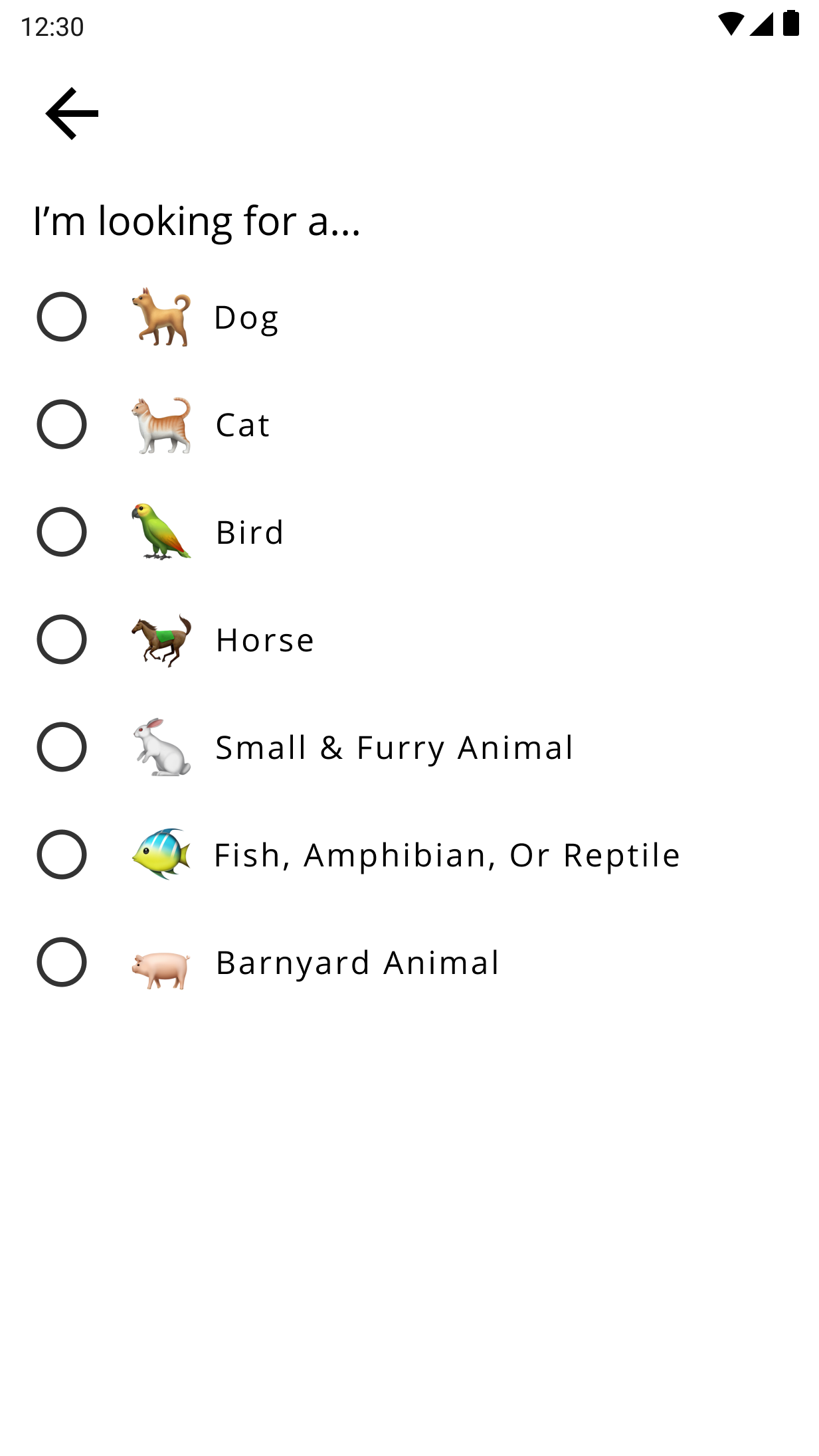
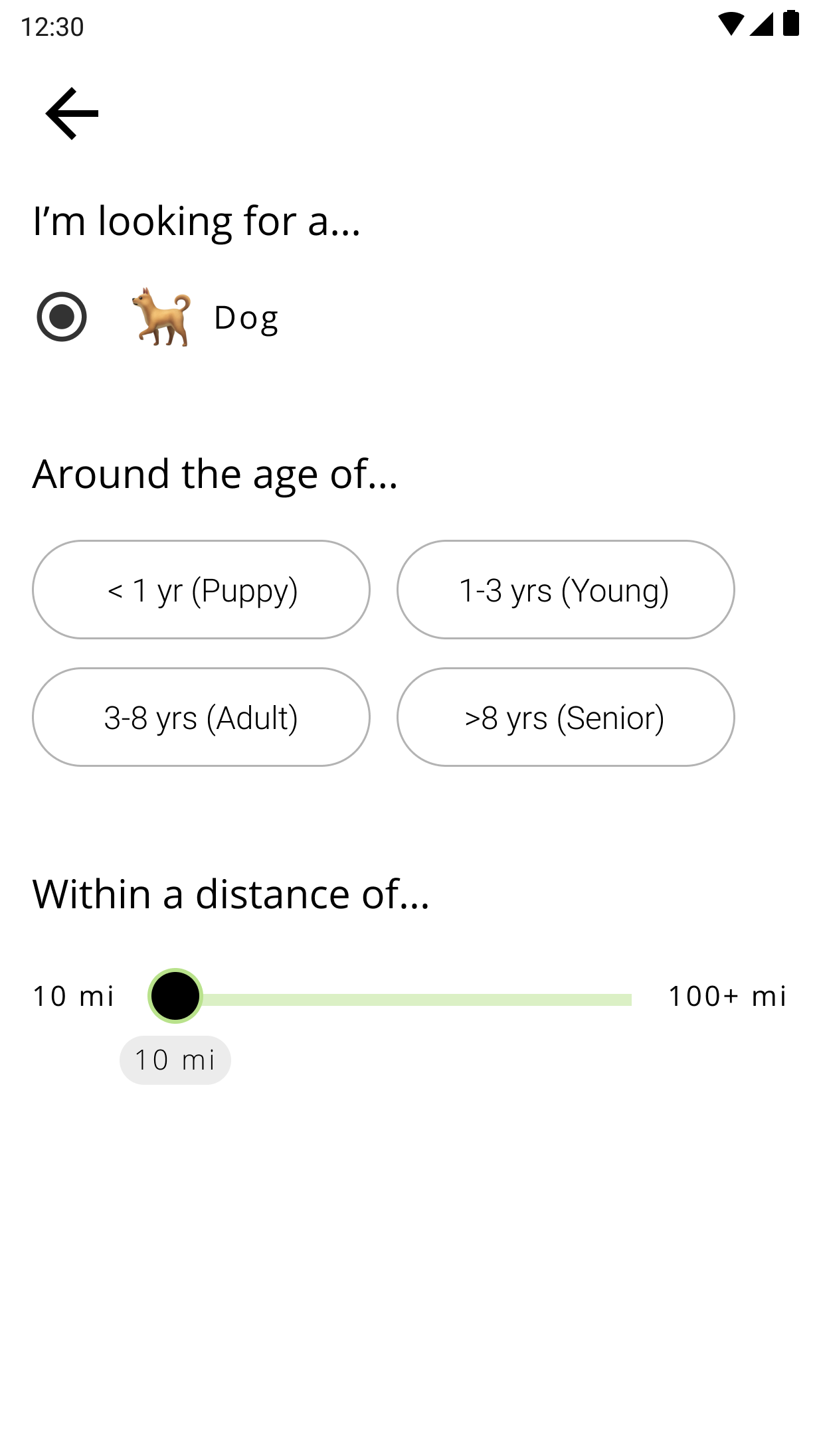
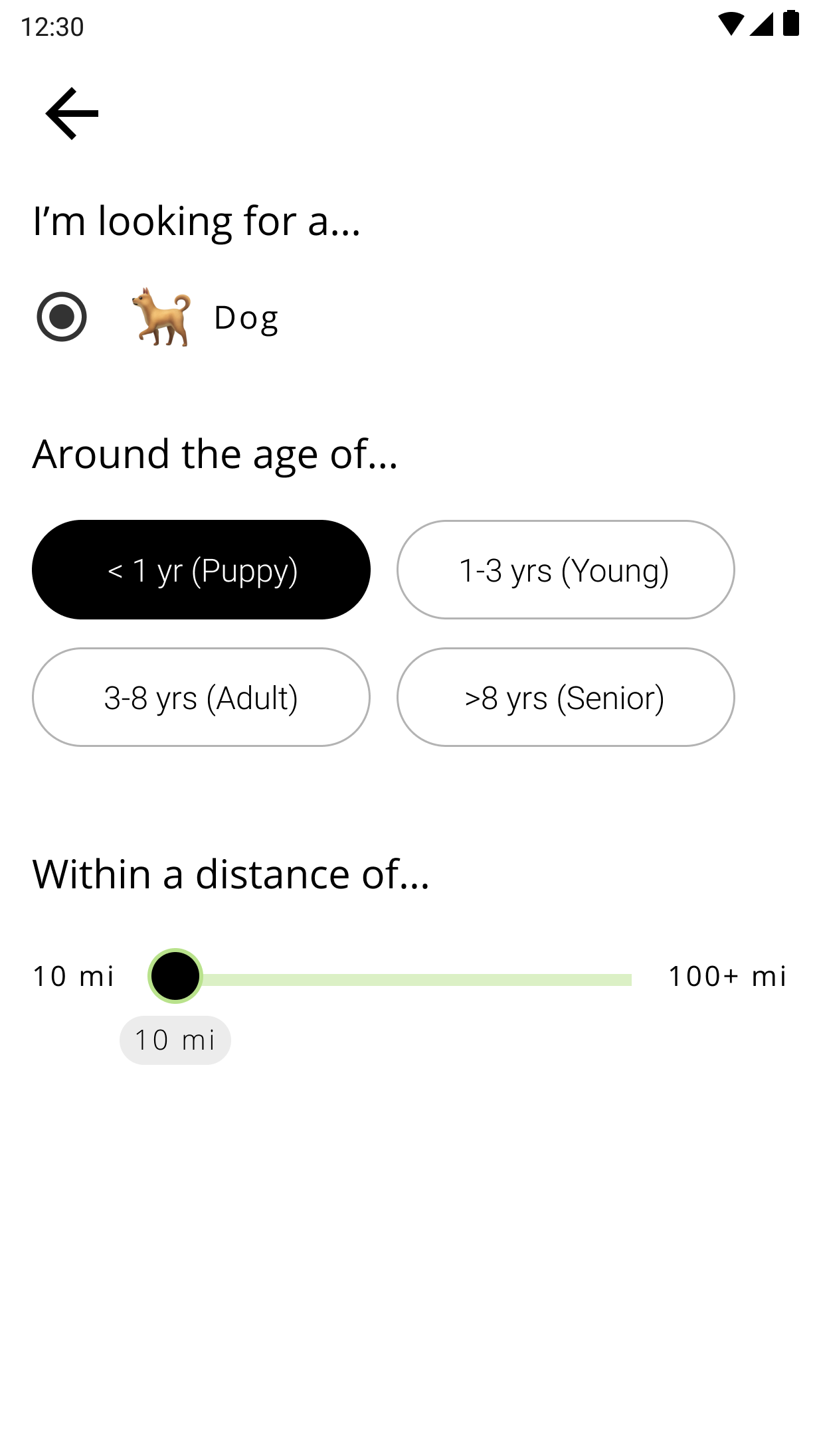
I researched search and filter patterns as well as date and time selectors to find patterns that would work better than what I previously had. I eventually came to the conclusion that users didn't actually need a search bar. Everything a user might search for would be available to apply as a filter. With this in mind, I created a home screen that would prompt users to select a type of animal and distance before showing any results. After which, they would be able to apply any other filters they want. By removing the search bar, I was able to simplify the design and still maintain a robust filter feature for users to find exactly what they're looking for. Click the image below to enlarge.
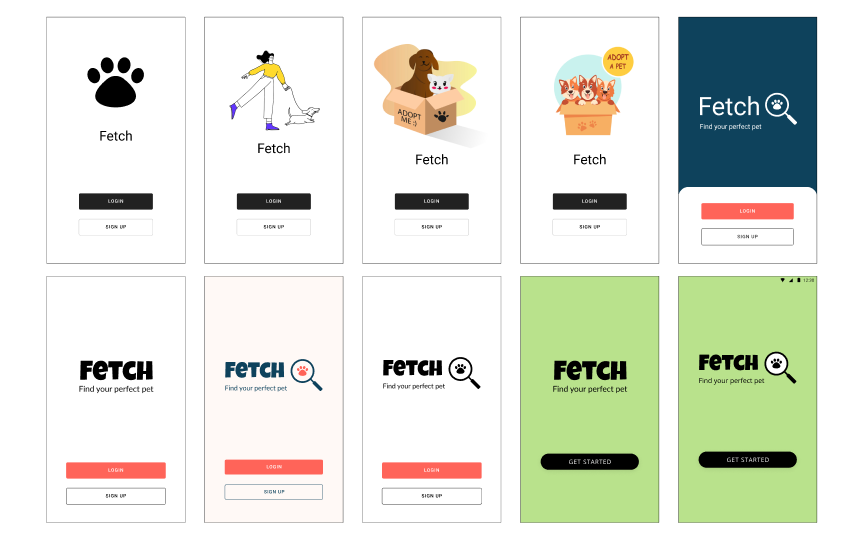
After revising the wireframes, I began brainstorming different names for the app, as well its overall look and feel. I wanted the app to feel playful and energetic. I also made sure to avoid using the color purple, which is Petfinder’s brand color. I ultimately landed on a bright green, which brings to mind grass and tennis balls (two things dogs love). I also decided on the name Fetch, since the app's primary feature is searching or "fetching".
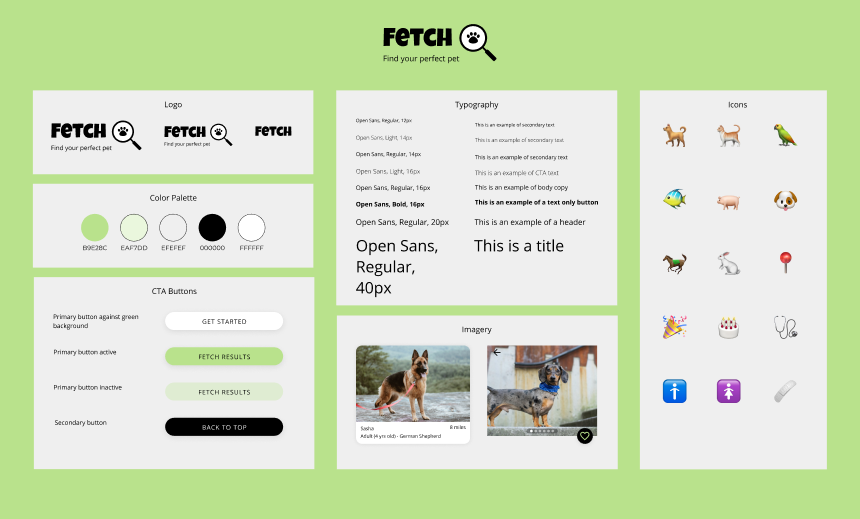
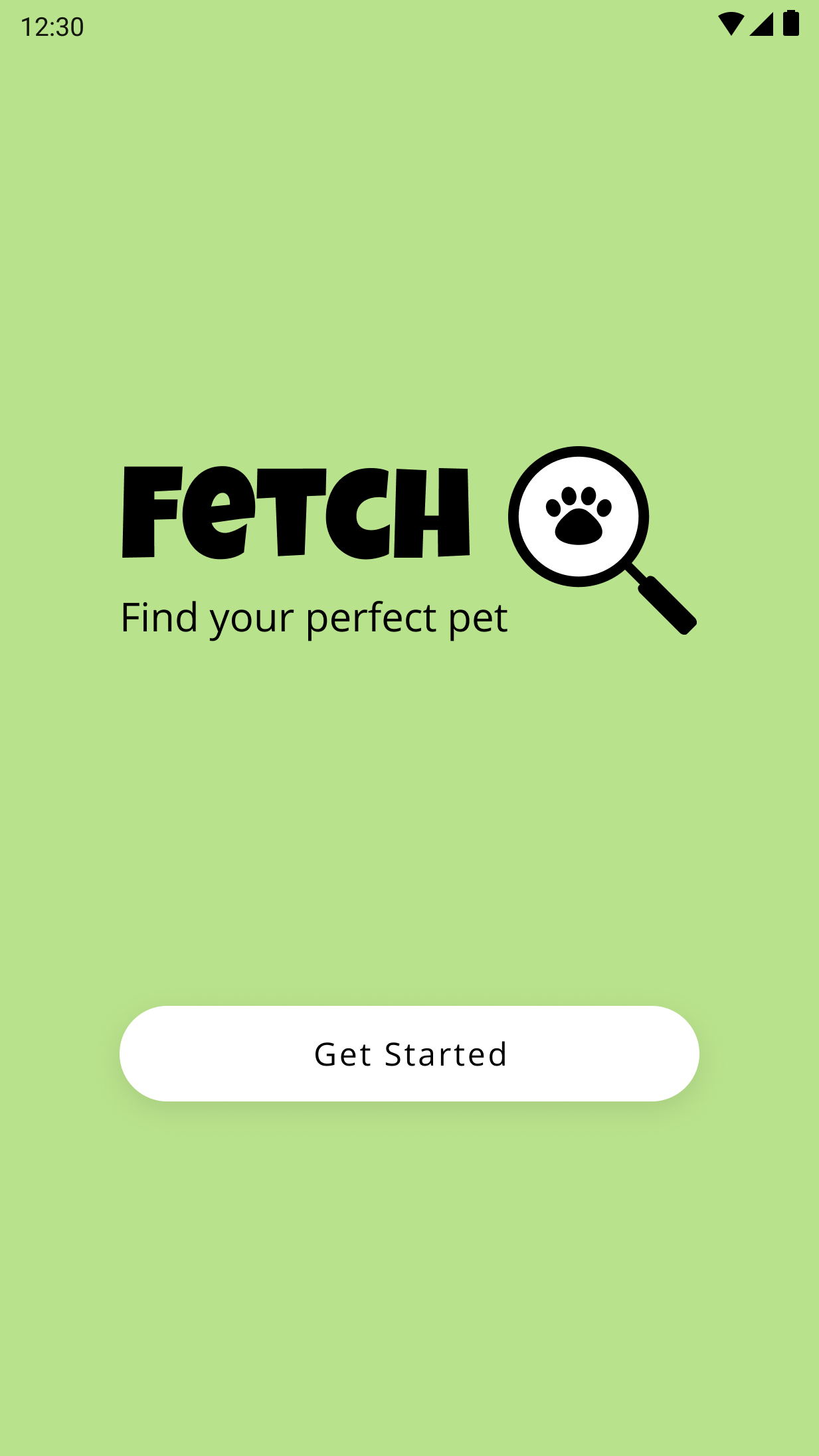
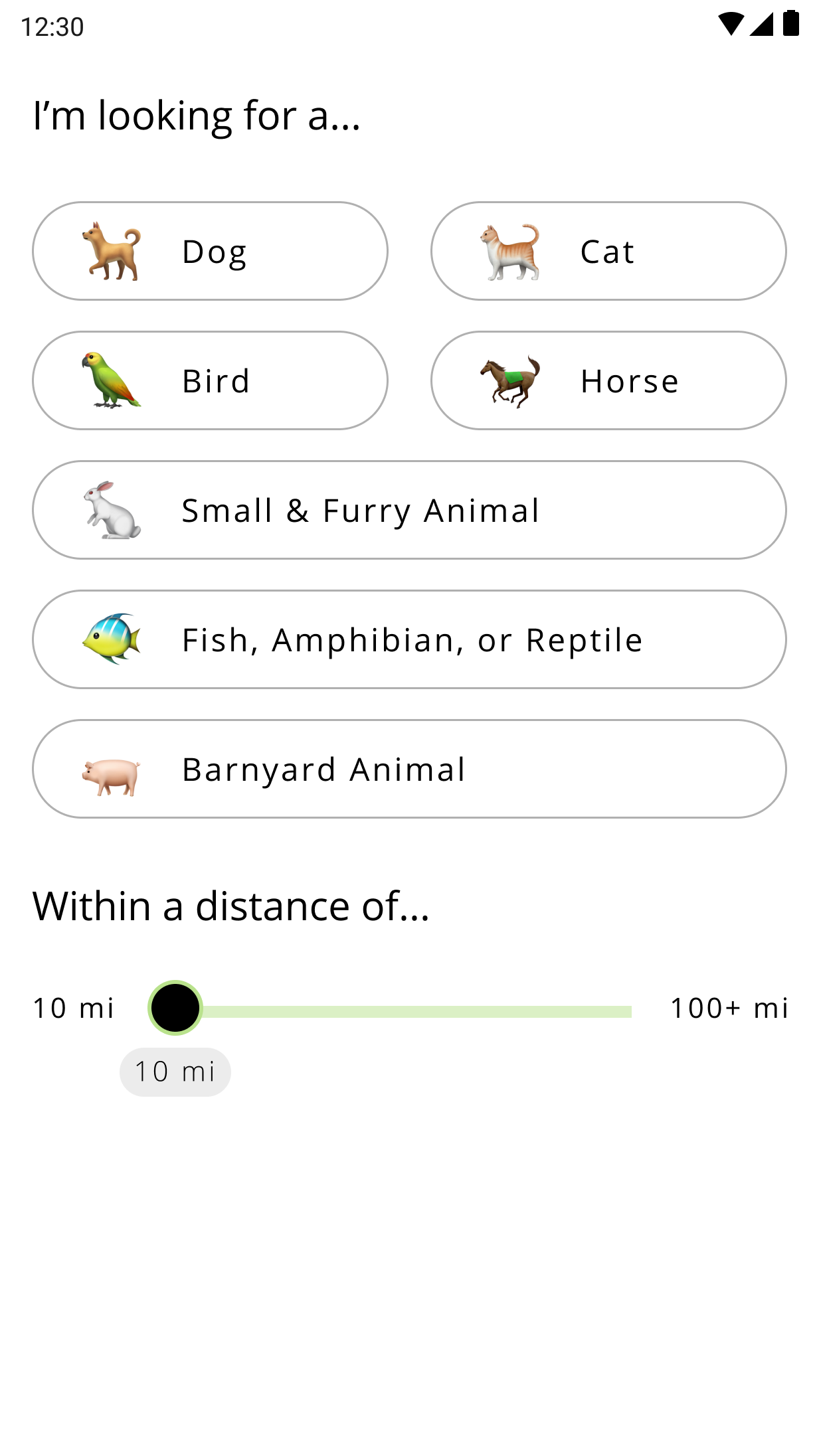
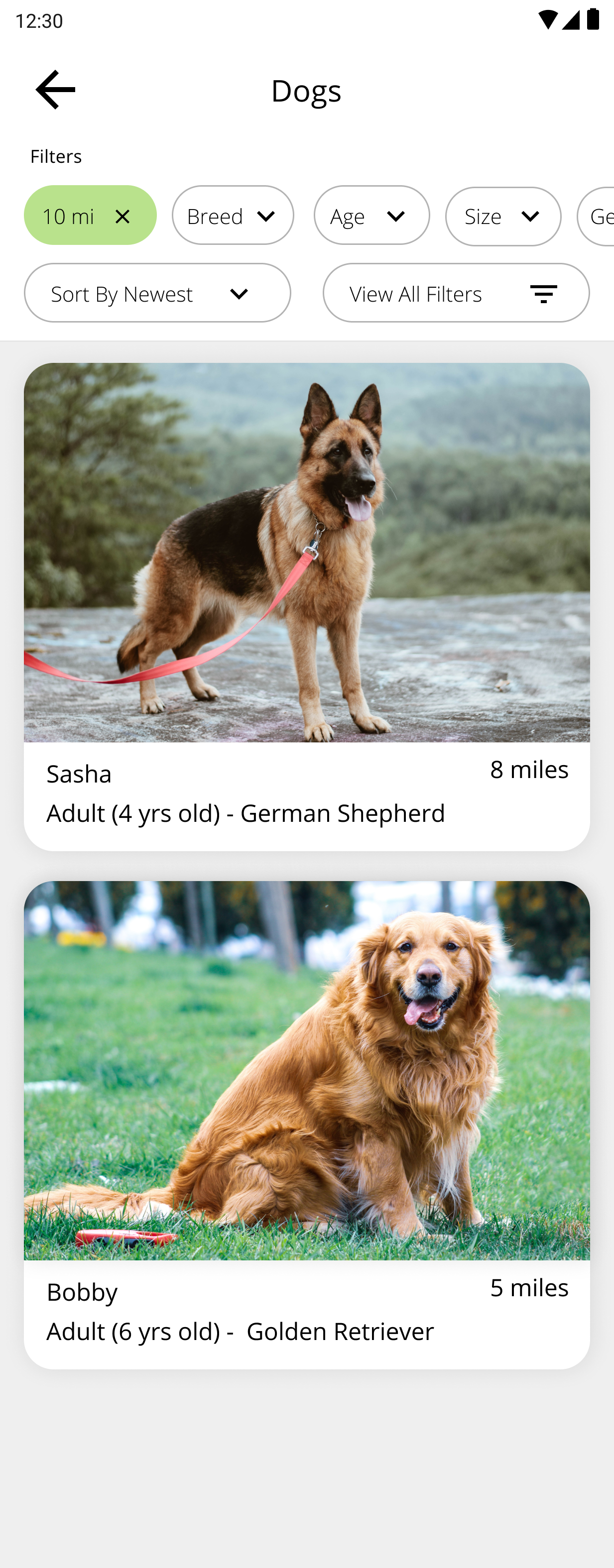

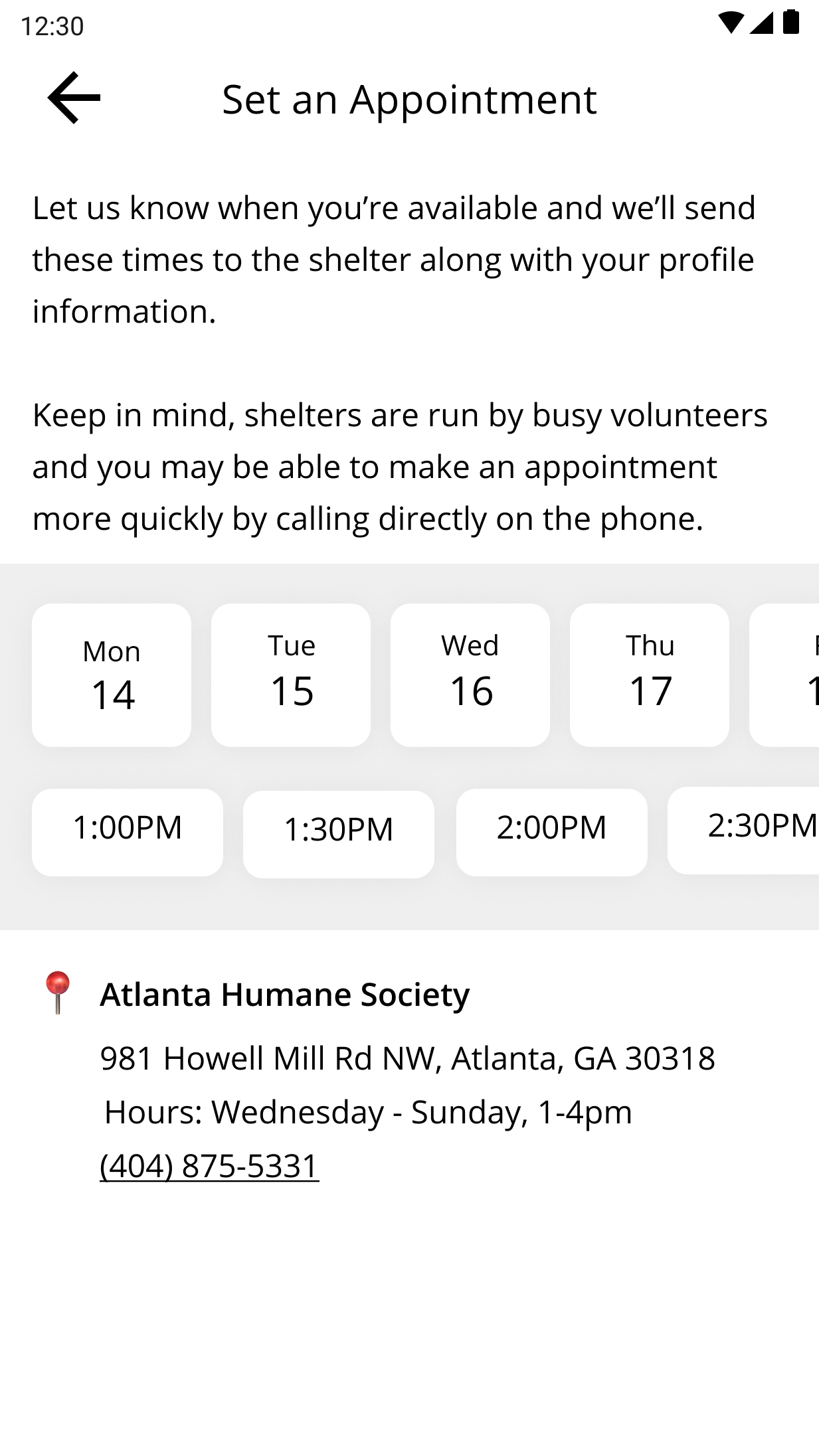
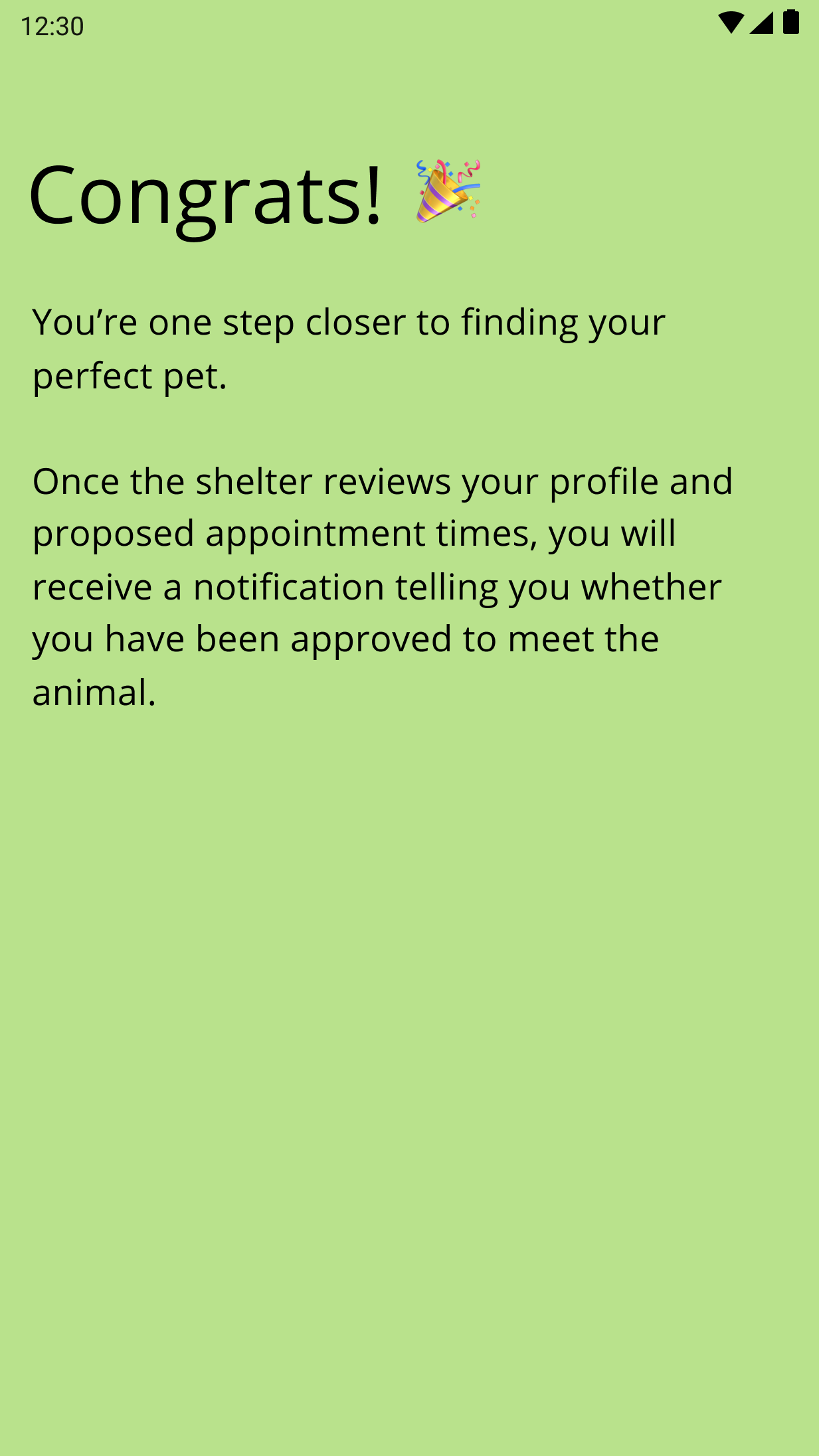
With the UI designs applied, I created a high fidelity clickable prototype in Figma in order to complete a second round of user testing.
I recruited 5 participants, ages 18 and up to test out the high-fidelity prototype using Google Meet and Figma.
*Not surprisingly, this round of testing went much more smoothly than the first round. After simplifying the designs, users had little to no problems navigating the app and understanding how to accomplish their task.
To help sort, organize and rank the user testing feedback, I created an affinity map. Because users had very little issues completing the tasks in this second round, my priority was to focus on revising the home screen design to be as clear as possible. Click the image below to enlarge.
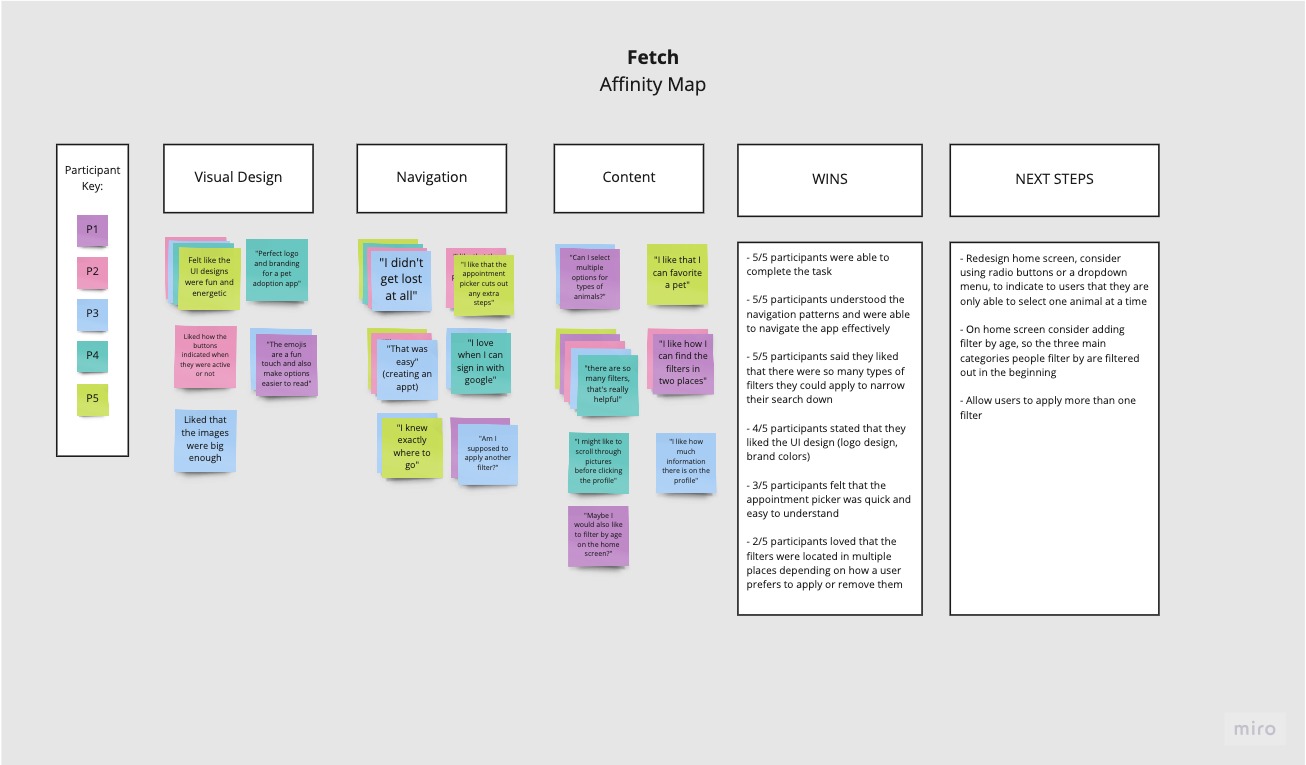
Based on the affinity map, I made the priority revisions:

Because this is a speculative project with a time constraint of 80 hours, this design process ends with implementing the revisions from the usability testing feedback. However, given the time, the next steps in rounding out the product would be as follows:
On this project, the main challenge I encountered was feature creep. Although I had been warned about feature creep, I found myself continuously coming up with new things to add to make the app perfect. Although it stemmed from my excitement in designing a better product, I finally understand how feature creep can slow the design process down and prevent teams from pushing out a product. Additionally, because I wanted to conduct two rounds of testing, I realized that I just wouldn’t have enough time to implement all the features I wanted to. Once I came to terms with the realization that this product was meant to be an MVP, I was able to nail down the necessary features and stick to them.
The other central challenge of this product was designing a search and filter feature purely for mobile devices. Because users would be selecting from long lists of items and applying and removing multiple filters, I had some difficulty finding ways to display all the information on such a small screen, while still being legible and organized. This is where my two rounds of testing came in handy. Because I was able to test the product multiple times, I could see what worked and what didn’t earlier on. This left me with more time to iterate and learn how to maximize the screen real estate.

