
Mirror is a fictional clothing store targeting a budget-minded audience who look for low-cost clothing for any occasion. The quality is pretty good and the prices are rather low. Their main goal is to make any type of clothing accessible to everyone. They have over 400 stores around the world in 32 countries. People say their stores are not fancy, but they are always well taken care of and look good. Mirror is very successful offline but their online presence is lacking.
Mirror currently has a very outdated informational website that only lists locations, promotions, and a bit of background about the company. Because of this, Mirror loses sales to its competitors who have online websites and the ability to ship their inventory around the world. Customers have been asking about an online store for years, citing its convenience and arguing that if they can’t find their size in the shop, they always order clothing online from other stores.
UX/UI Designer and Researcher with guidance from peers and mentor.
Design a responsive e-commerce website and brand logo within six weeks.
Before designing anything, I examined the e-commerce market and conducted user research to ensure my designs would address the users' specific needs and capabilities.
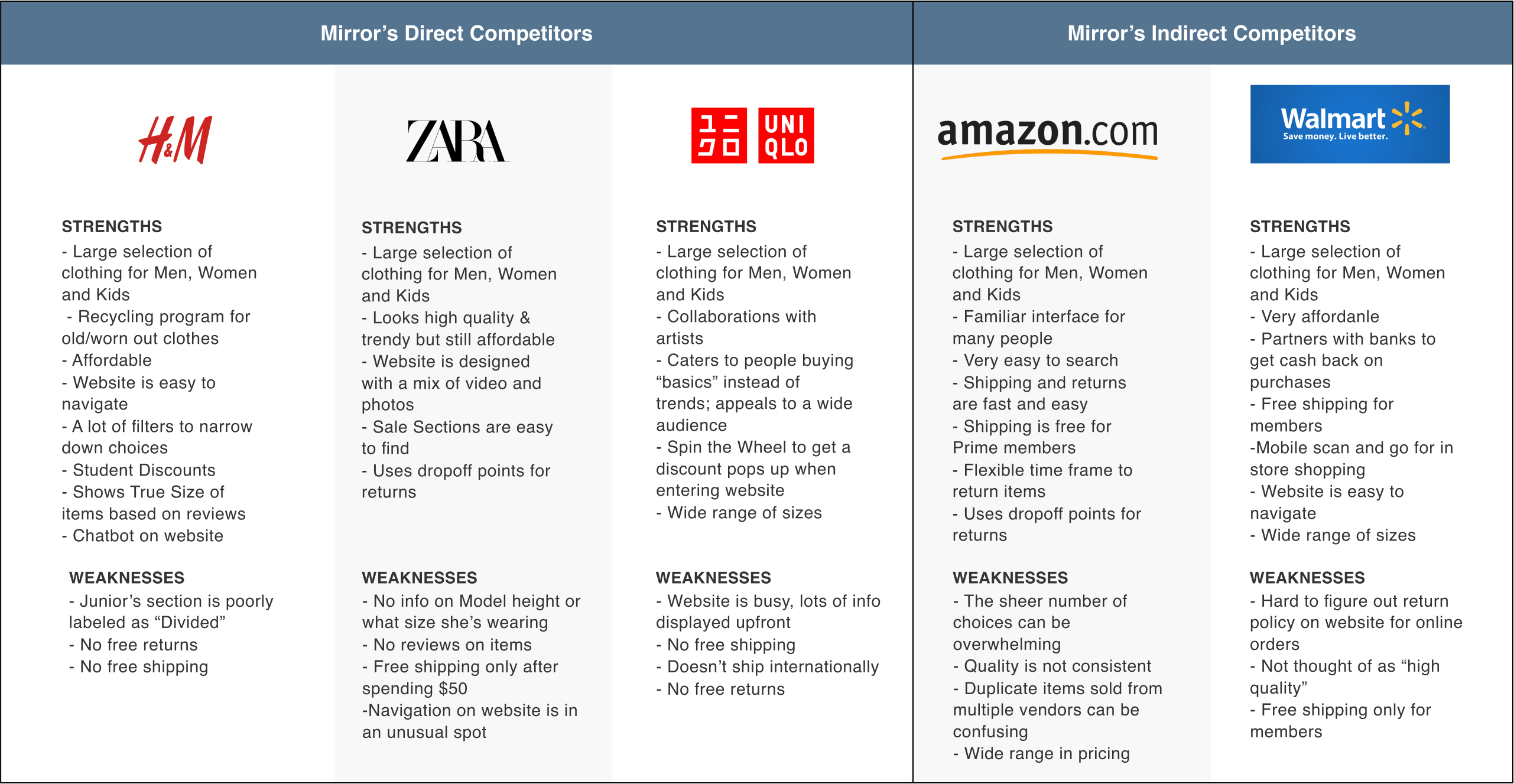
Remote 1:1 interviews (using Zoom) with 4 participants, age 25-34 years old
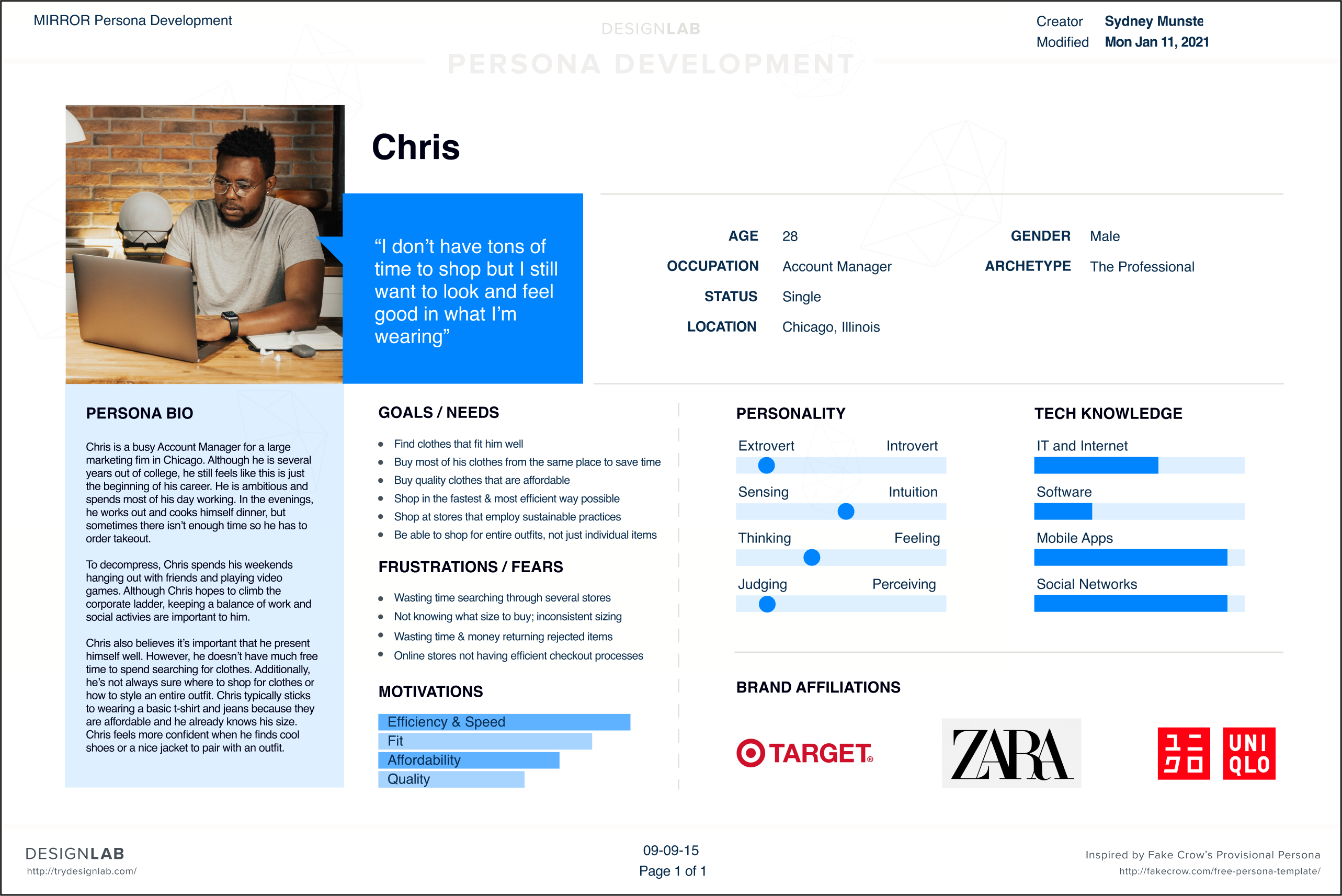
In order to distill my research into a succinct and realistic representation of one of Mirror’s key audience segments, I created a User Persona. This persona addresses user needs, goals, motivations, and frustrations.
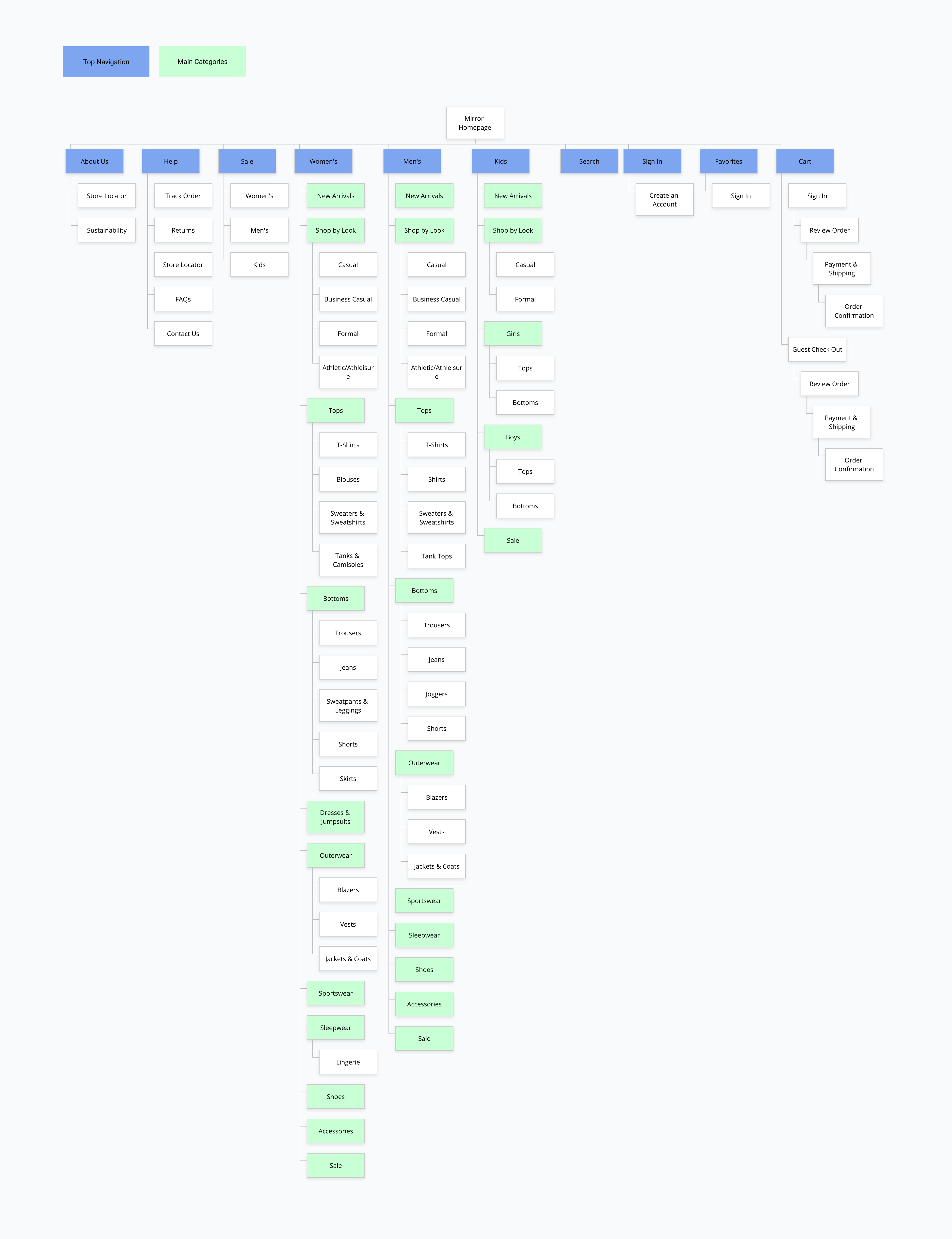
By conducting a card sort, I was able to see how users understand and categorize information. From this data, I was able to organize and label content on the site in a way that would make the most sense to our users and ensure their ability to navigate the site effectively.
Based on the card sort and competitor analysis, I was able to create a sitemap for Mirror’s website.
Task Flows demonstrate the user's overall progression for using the product.
.png)
User Flows demonstrate the user paths for major product tasks.
.png)
After researching and defining the product, I was able to begin exploring different solutions to the problem. I started with hand drawn sketches which allowed me to quickly explore multiple potential solutions.
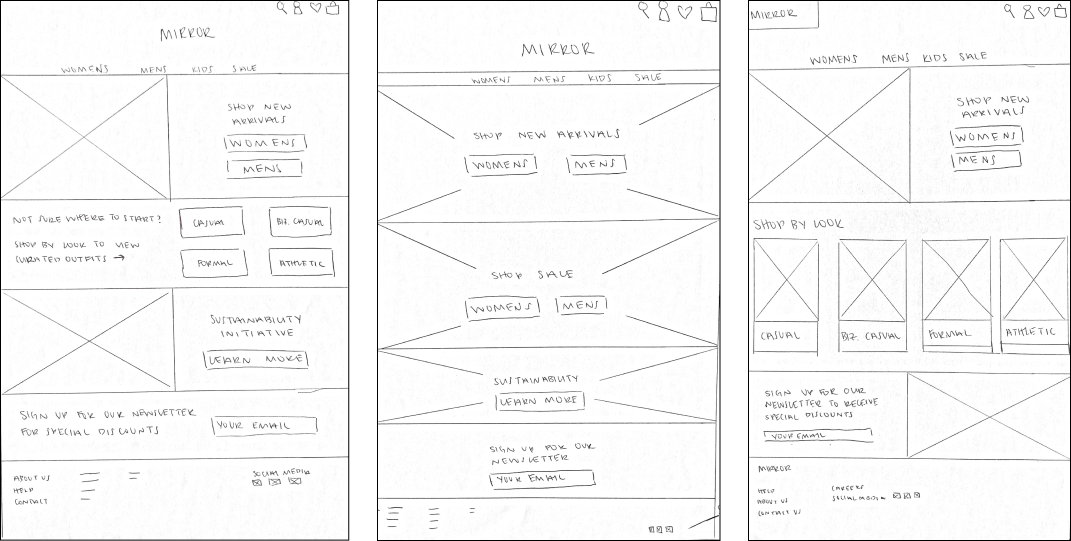
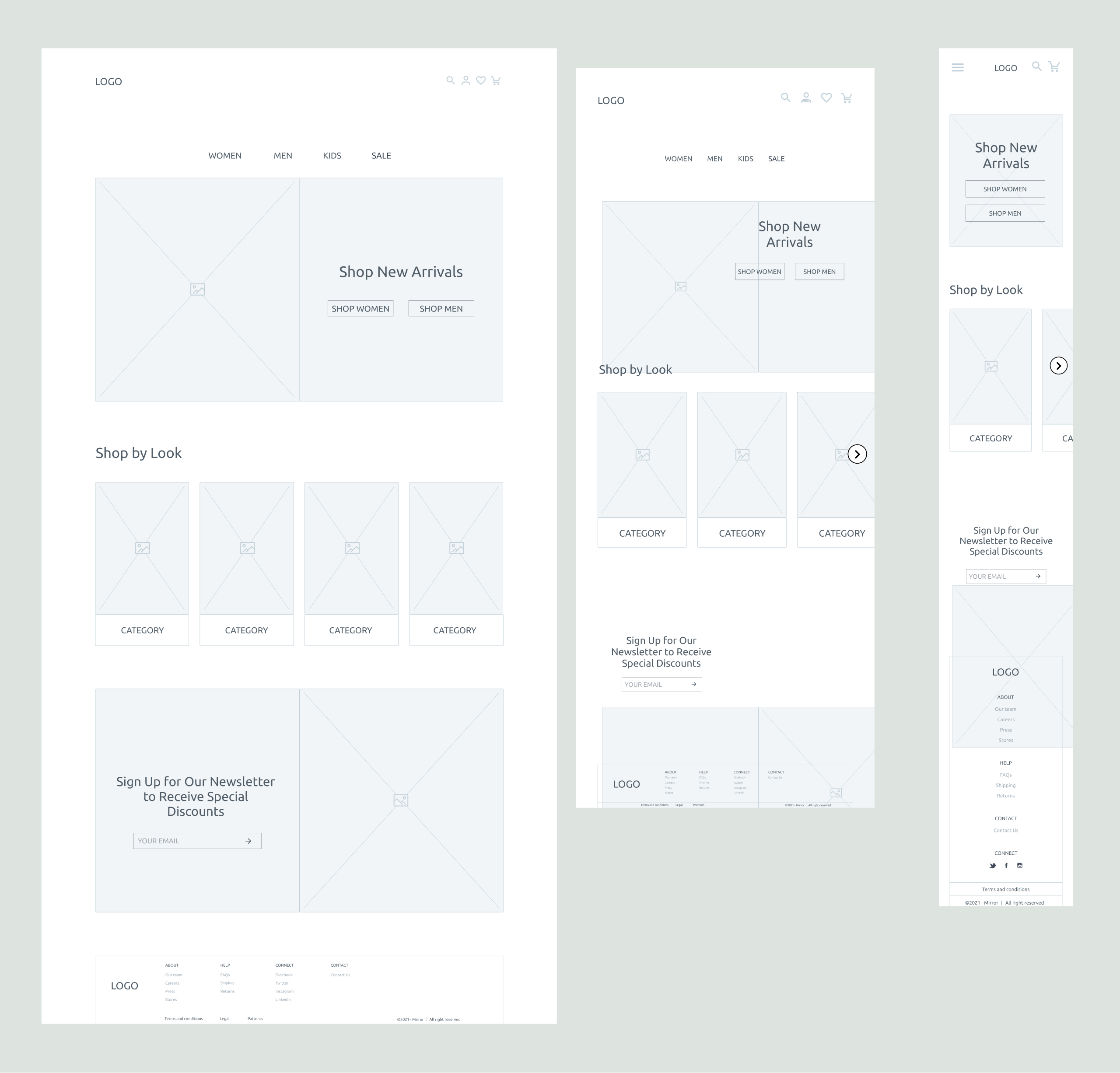
Once I decided on the key pages I would need to design, I began digitizing my sketches in Figma and adapting my desktop designs to tablet and mobile.
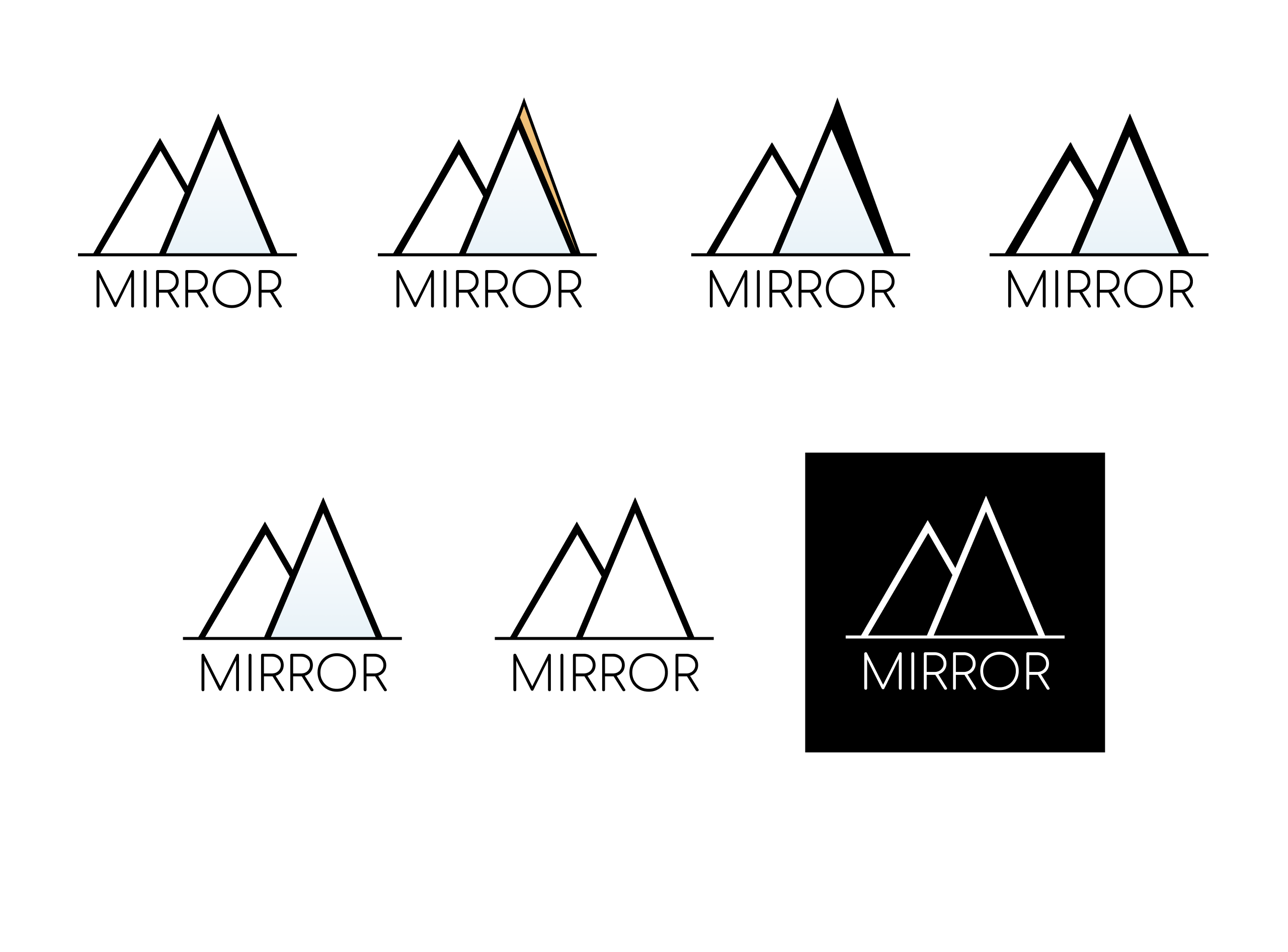
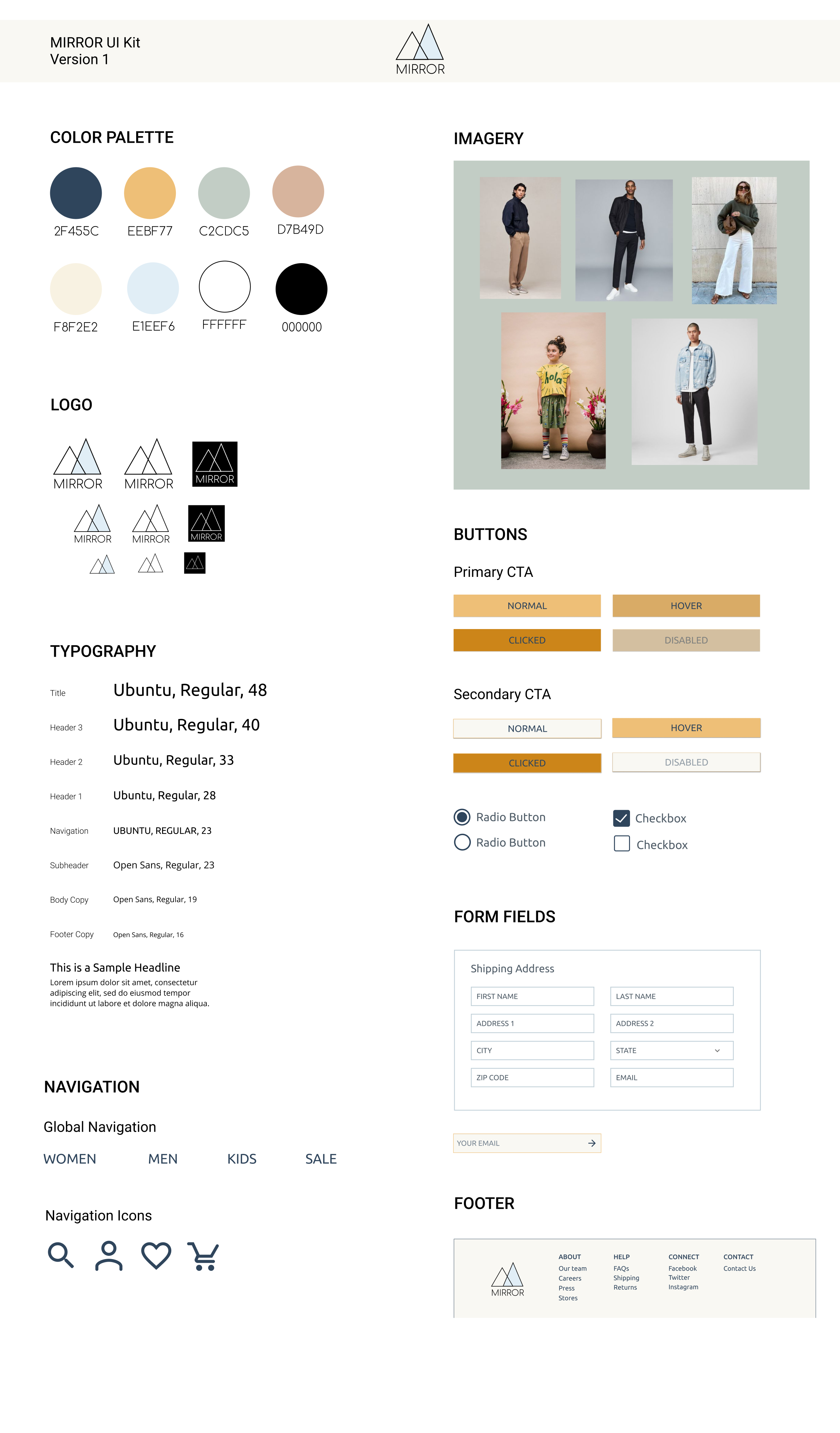
After creating the wireframes, I began to work on Mirror’s branding. Pulling keywords from the project brief, user persona and user research, I created a moodboard to help define how the website would look and feel. After, I explored a few different logo options that would align with Mirror’s brand: modern, neutral, approachable. Then I combined all the visual design elements into a UI Kit which I would use as a guide in creating my prototype.
In order to test the product out on real users, I created a high fidelity, clickable prototype in Figma and designed the UI, which reflected all the choices made in the branding phase
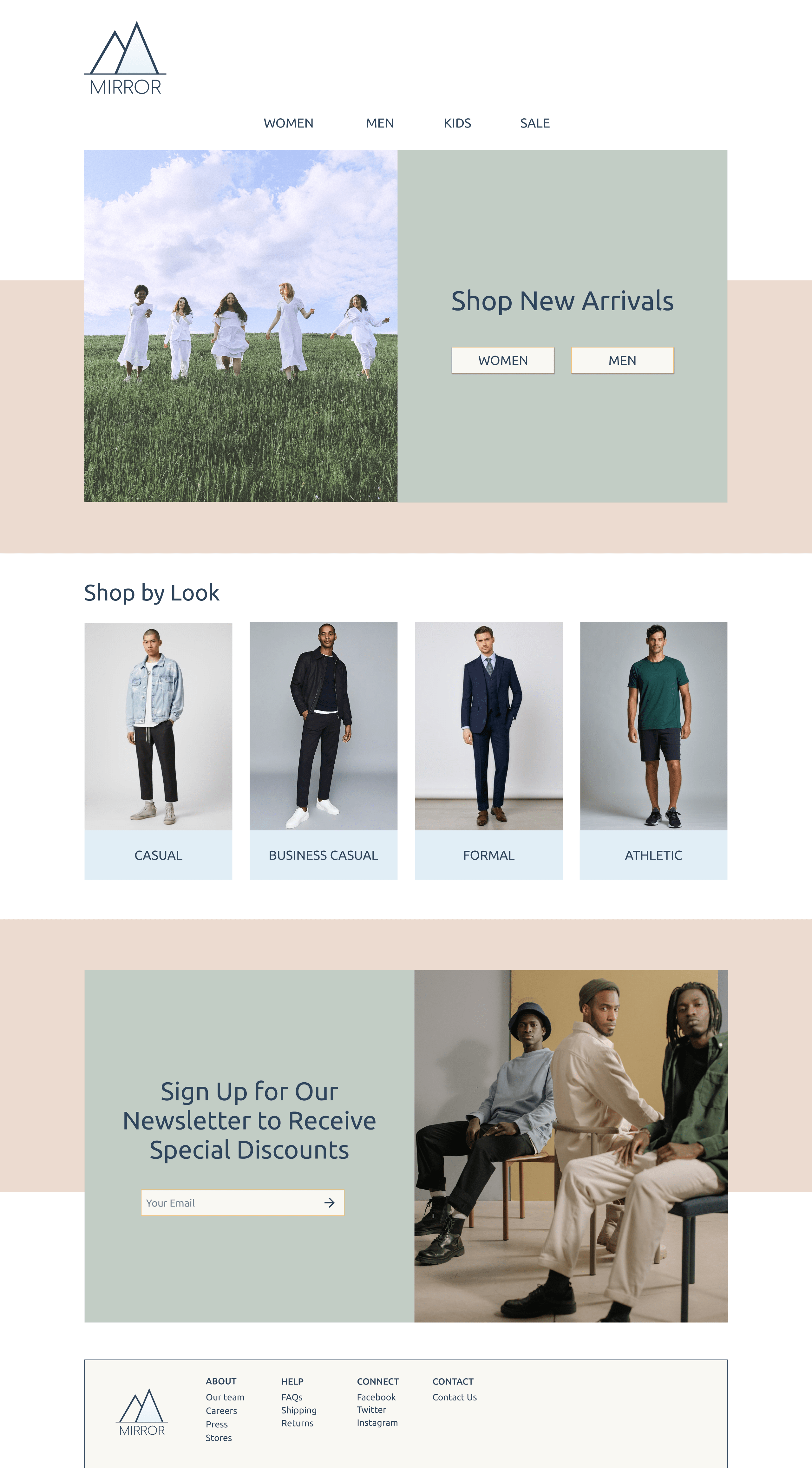
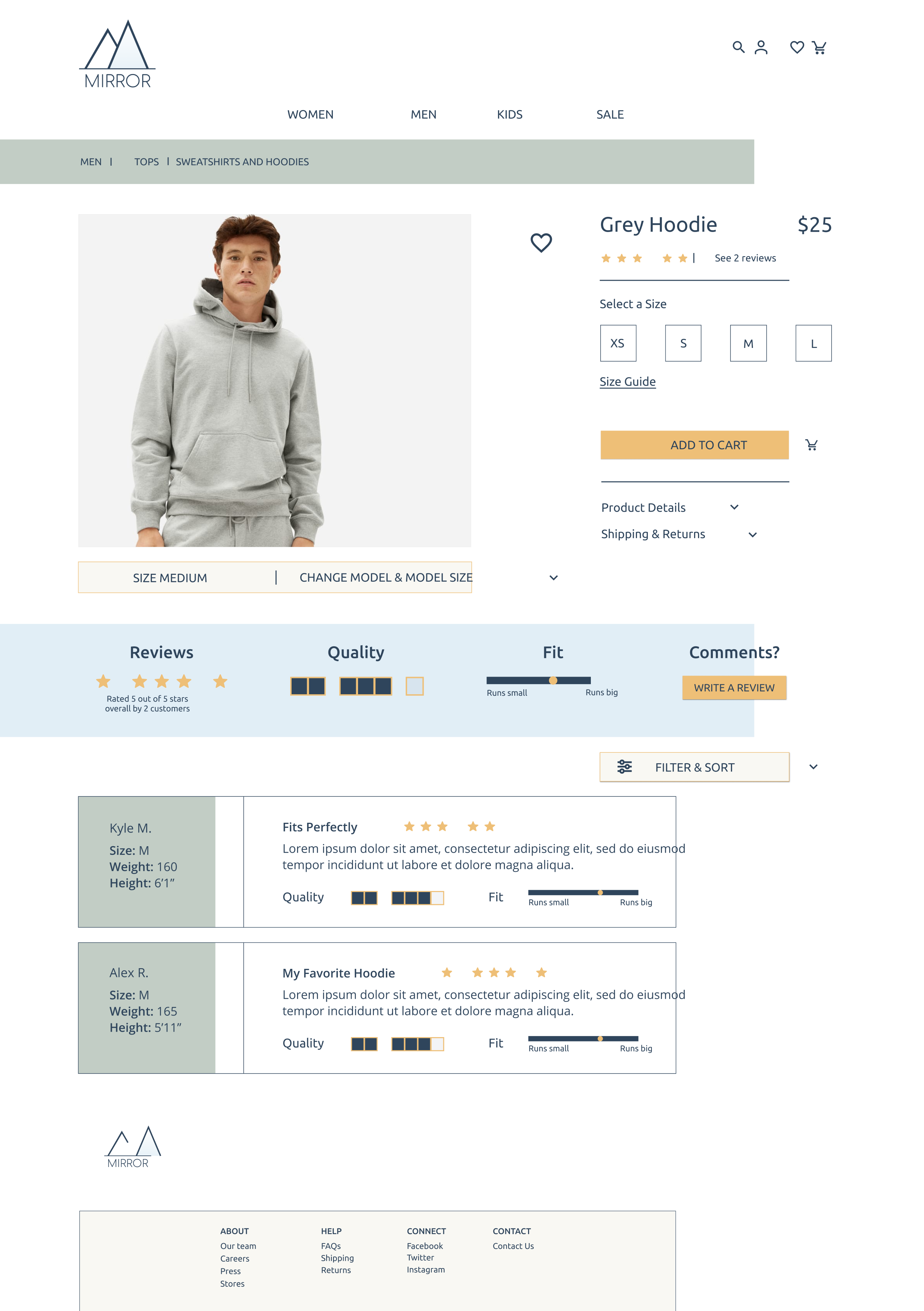
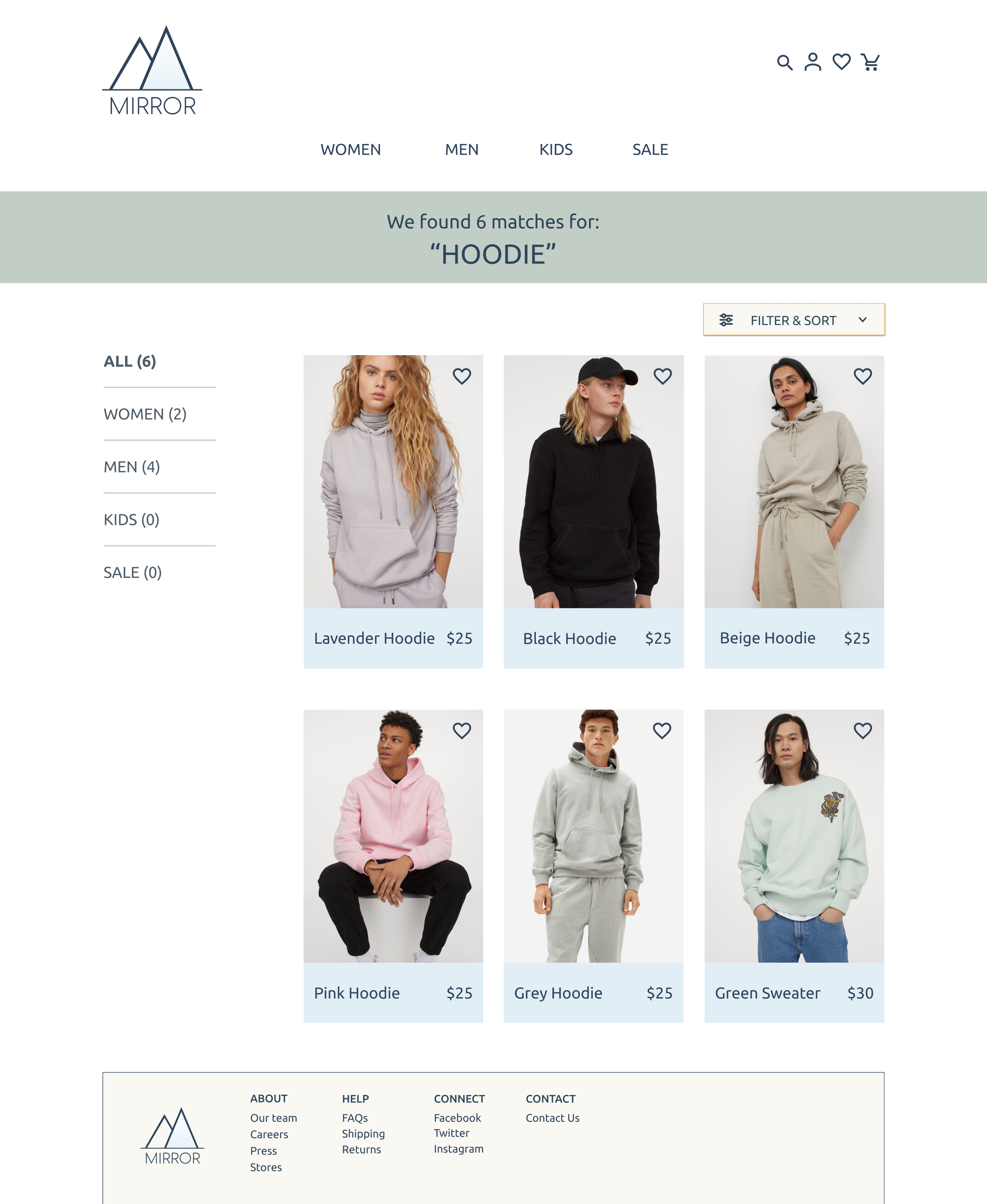
In order to test the product out on real users, I created a high fidelity, clickable prototype in Figma and designed the UI, which reflected all the choices made in the branding phase
Once the prototype was up and running, I conducted a usability test with 5 participants, aged 27-59 years old
To help sort, organize and rank the user testing feedback, I created an affinity map. This way, I could prioritize which issues needed to be addressed immediately in the next iteration.
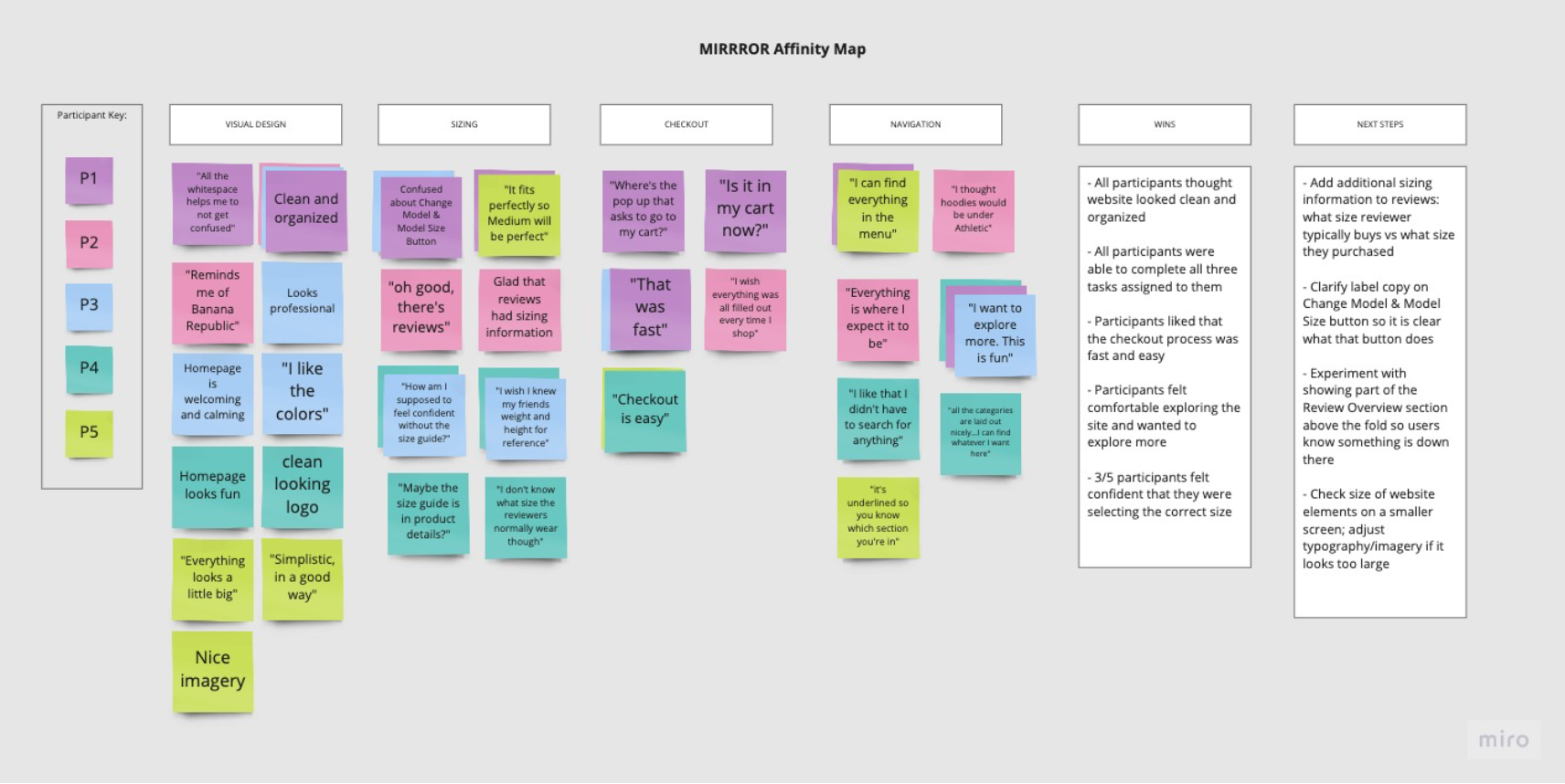
Based on the user testing results and affinity map rankings, I made priority revisions to the product
Because this is a speculative project with a time constraint of 80 hours, this design process ends implementing the revisions from the usability testing feedback. However, given the time, the next steps in rounding out the product would be as follows:
Lorem ipsum dolor sit amet, consectetur adipiscing elit. Suspendisse varius enim in eros elementum tristique. Duis cursus, mi quis viverra ornare, eros dolor interdum nulla, ut commodo diam libero vitae erat. Aenean faucibus nibh et justo cursus id rutrum lorem imperdiet. Nunc ut sem vitae risus tristique posuere.

